By Performate
Stress Test vs Load Test vs Spike Test: When to Use Each One
Learn when to run load, stress, and spike tests, what metrics to track, and how to execute each scenario faster with Performate.
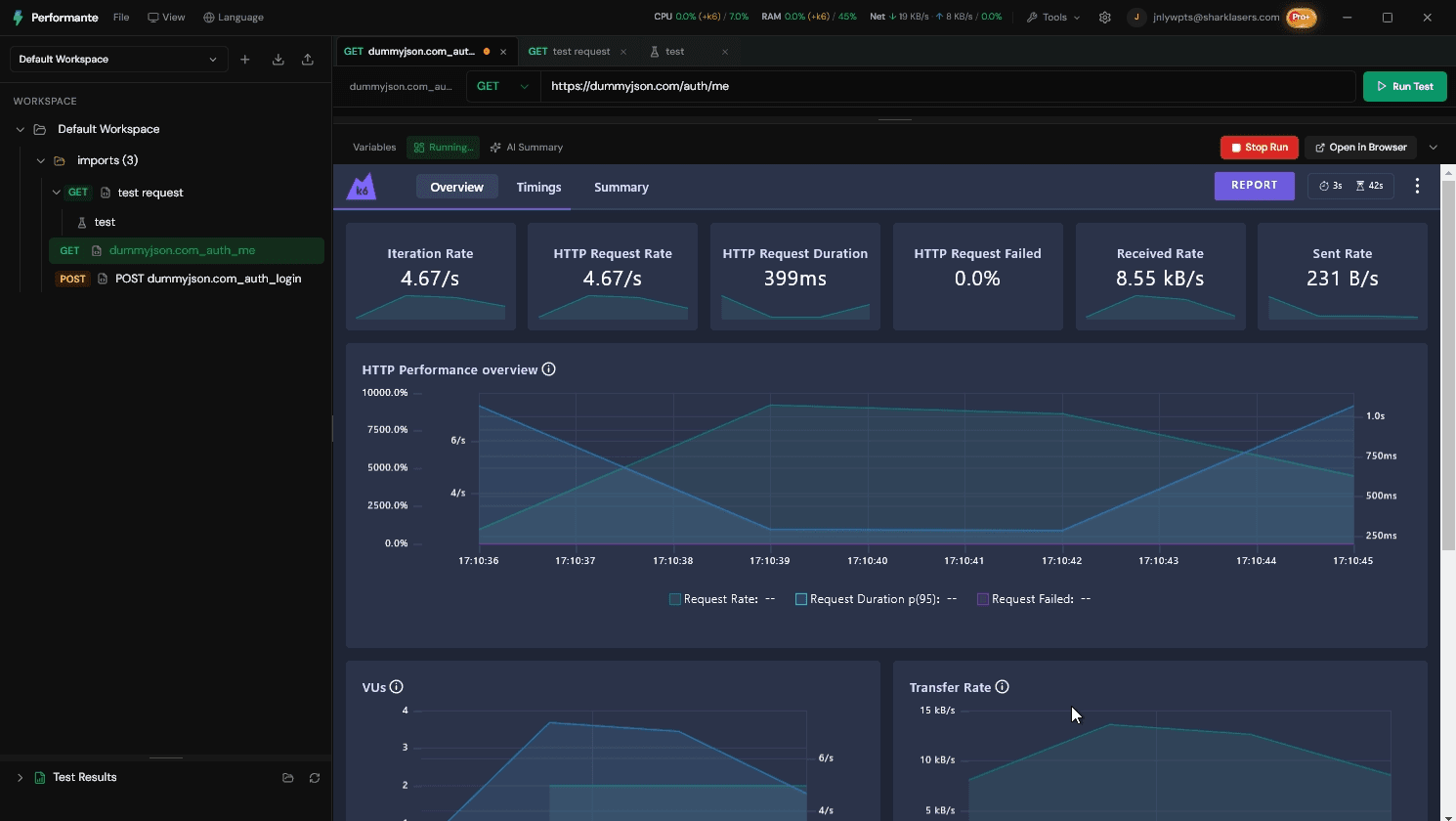
Teams label every performance run "load test" while actually asking three different questions: Are we healthy at expected traffic? Where do we break? Can we survive a sudden jump? Mixing those questions produces false confidence, wrong release decisions, and CI pipelines so heavy that someone disables the only gate you had.
Load, stress, and spike tests differ in traffic shape and risk validated—not in tooling. In k6 you express shape with scenario executors (constant-arrival-rate, ramping-vus, sharp stages on ramping-arrival-rate). This guide maps business risks to executors, gives one script with three profiles, and shows how to compare outcomes without maintaining three repos.
If you are building your first workflow, start with Postman to k6 step-by-step.
Why test type must match the risk
Each test type answers a distinct question; using the wrong one wastes staging time and misleads stakeholders:
- Load – sustained expected demand; validates SLOs, regressions, and "are we fast enough on Tuesday?"
- Stress – deliberate overload; finds breaking points, error curves, and recovery after ramp-down.
- Spike – abrupt step; validates autoscaling, cold paths (serverless), queue absorption, and cache cold starts.
Using only load before a flash sale misses burst failure modes. Using only stress on every PR wastes CI and desensitizes teams to red thresholds. Using spike when you need steady SLO proof creates unnecessary incidents on shared staging.
Metrics that matter per type
| Type | Primary metrics | Secondary signals |
|---|---|---|
| Load | p95/p99, error rate, steady throughput at target RPS | Saturation, pool wait (APM) |
| Stress | Time-to-failure, error curve slope, recovery after ramp-down | Max RPS/VUs before SLO breach |
| Spike | Error during transition, stabilization window, dropped requests | Autoscale event timing, cold start rate |
Pair percentile work with p95 vs p99 literacy for stakeholders—spike tests often blow p99 first while p95 looks acceptable.
Practical k6: one script, three executors
Example (illustrative—not production-ready). Select with TEST_TYPE env.
What this demonstrates:
- Load: steady
constant-arrival-rateat business RPS—open model matches "orders per minute" language. - Stress:
ramping-vusbeyond documented peak—closed model explores concurrency collapse. - Spike:
ramping-arrival-ratesharp stage (5 → 120 req/s)—step change in seconds, not minutes. - Shared checks and route tags; thresholds differ per profile—stress may allow higher error rate by design.
import http from 'k6/http';
import { check, sleep } from 'k6';

const type = __ENV.TEST_TYPE || 'load';
const BASE = __ENV.API_BASE || 'https://staging.example.com';

const configs = {
  load: {
    scenarios: {
      load: {
        executor: 'constant-arrival-rate',
        rate: 40,
        timeUnit: '1s',
        duration: '10m',
        preAllocatedVUs: 30,
        maxVUs: 120,
        tags: { test_type: 'load' },
      },
    },
    thresholds: {
      'http_req_duration{test_type:load}': ['p(95)<700', 'p(99)<1000'],
      http_req_failed: ['rate<0.01'],
    },
  },
  stress: {
    scenarios: {
      stress: {
        executor: 'ramping-vus',
        startVUs: 10,
        stages: [
          { duration: '5m', target: 100 },
          { duration: '5m', target: 200 },
          { duration: '3m', target: 0 },
        ],
        tags: { test_type: 'stress' },
      },
    },
    thresholds: { http_req_failed: ['rate<0.1'] },
  },
  spike: {
    scenarios: {
      spike: {
        executor: 'ramping-arrival-rate',
        startRate: 5,
        timeUnit: '1s',
        preAllocatedVUs: 50,
        maxVUs: 300,
        stages: [
          { duration: '1m', target: 5 },
          { duration: '30s', target: 120 },
          { duration: '3m', target: 120 },
          { duration: '1m', target: 5 },
        ],
        tags: { test_type: 'spike' },
      },
    },
    thresholds: { http_req_failed: ['rate<0.05'] },
  },
};

export const options = configs[type] || configs.load;

export default function () {
  const res = http.get(`${BASE}/api/orders`, {
    tags: { route: 'orders', test_type: type },
  });
  check(res, { ok: (r) => r.status < 500 });
  sleep(type === 'spike' ? 0.1 : 0.5);
}
Patterns that work
- One request catalog, three executor profiles—Performate clones scenarios without duplicating Postman imports.
- Load on nightly CI, spike manual pre-launch (CI layering).
- Document abort criteria for stress/spike—shared staging needs a kill switch owner.
- Archive exports per
test_type—quarterly review compares load baselines separately from stress explorations.
Anti-patterns to avoid
- Calling a one-minute ramp "stress" when product asked about flash-sale spike.
- Zero think time on load tests—fake RPS (VU sanity).
- Spike tests without monitoring autoscale events—you see errors, not cause.
- Stress on every merge—pipeline disabled within weeks.
Pro tip (example command): run profiles locally before scheduling staging windows.
k6 run orders-profiles.js --env TEST_TYPE=spike --summary-trend-stats="p(95),p(99)"
What this command demonstrates: spike profile reproduces step-change locally in minutes—validate script before booking platform on-call for the full rehearsal.
Decision framework
| Business question | Test type | Typical frequency |
|---|---|---|
| Meeting SLO at normal traffic? | Load | Per release / nightly |
| Finding capacity ceiling? | Stress | Pre-launch / infra change |
| Surviving viral burst or flash sale? | Spike | Campaigns / season |
| CI gate on every PR? | Load or smoke only | Every merge |
| Validating serverless cold path? | Spike (idle then step) | Before traffic step-change |
Quick rule: predictable demand → load; mapping failure ceiling → stress; sudden jump → spike.
Use load when error budget reviews need "same RPS as last month, did we regress?"
Use stress when finance asks "how much headroom before we spend on bigger nodes?"
Use spike when marketing announces "10x traffic in five minutes"—not when validating Tuesday afternoon traffic.
Observability and pre-run checklist
- Auth and test data realistic (GDPR-safe data).
- Write paths idempotent or isolated—stress/spike multiply duplicates.
- Thresholds map to business SLOs for load; exploratory bounds documented for stress/spike.
- APM active to correlate k6 window with infra—autoscale, DB connections, queue depth.
- Schedule spikes when on-call can abort (soak/spike ops).
- Staging fidelity footnotes on reports (staging vs prod).
How Performate runs load, stress, and spike side by side
Below is a concrete workflow example for orders API profiles—adapt rates to your SLO doc and launch calendar.
Example: three profiles, one import
- Import order/checkout collection once—requests become shared catalog. Problem solved: no triplicate Postman folders drifting apart.
- Clone scenario to three profiles (load/stress/spike) in UI—executors differ, requests identical. Problem solved: compare outcomes fairly—same payloads, different shape.
- Tune load profile first until thresholds green three runs—establish baseline. Problem solved: stress/spike explorations reference known-good steady state.
- Run load, stress, spike sequentially on staging; compare dashboard (metrics view). Problem solved: release review shows three answers, not one ambiguous graph.
- Export three reports with
test_typefilters for release review. Problem solved: leadership sees spike risk separately from daily SLO load. - Promote load profile only to CI smoke/load—spike stays manual. Problem solved: fast merge gates without daily stress cost.
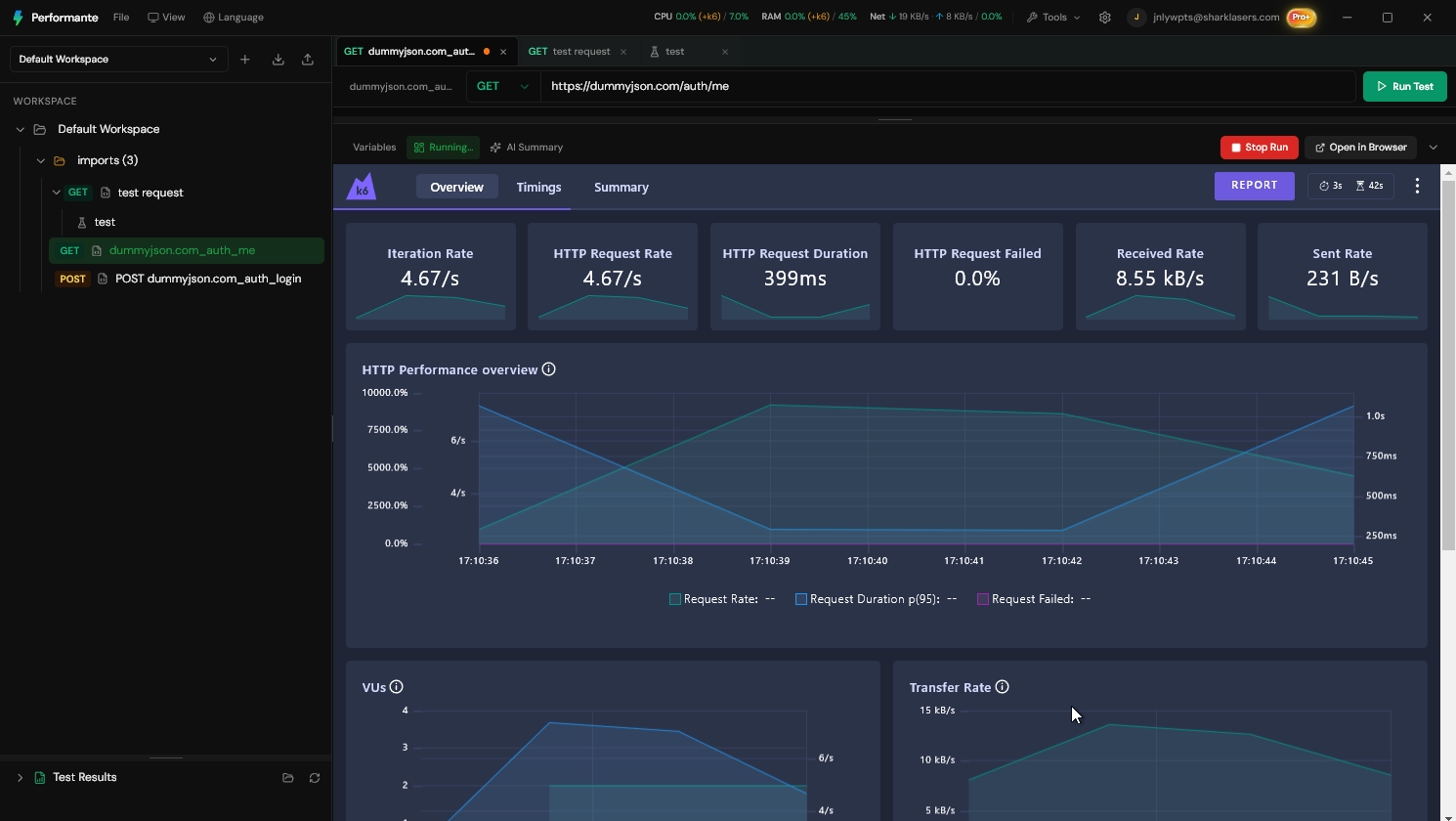
That workflow maps directly to the cta in this post: run load, stress, and spike side by side and compare outcomes from one workspace.
Closing takeaway
The question is not which test is "best"—it is which risk you validate today. Use load, stress, and spike as complementary lenses; keep one request catalog, vary executors, and archive evidence per test_type.
Pick tomorrow's campaign risk: if it is a traffic step-change, schedule a spike—not another steady load rerun.
Ready to optimize your API performance?
Use Performate scenarios to run load, stress, and spike tests side by side and compare outcomes.